


Solitaire: Big Card Games
4.6891.00 Reviews
App Specs
- Version
- 1.3.2
- Updated On
- License
- Free
- Downloads
- 500,000+
- Developer
- Card Games, Inc
- Categories
- Card
- Platform
- Android
Screenshots
 Analysis by AppCompare
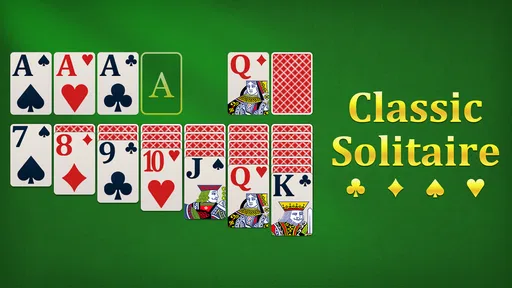
I spent time with Solitaire: Big Card Games as a quiet, uncomplicated card game rather than as a feature-packed mobile pastime. That distinction matters. This is a free solitaire title from Card Games, Inc, aimed at players who want a familiar game that is easy to read and comfortable to pick up for a few minutes. Its focus on large cards makes the presentation especially approachable, while the classic format keeps the learning curve almost nonexistent.
My overall impression is that it works best as a low-pressure companion for short breaks, relaxed evenings, or anyone who prefers a straightforward card layout over a busy game hub. It is listed for Everyone, runs on Android 6.0 and later, and has reached over 500 thousand installs. Those details make it accessible to a broad range of Android users, including people with older phones who may not want to replace a perfectly usable device just to play solitaire.
How the game feels during everyday play
The first thing I noticed is how quickly the game gets to the point. Solitaire does not need a long explanation: you arrange cards, uncover hidden ones, and build the appropriate sequences. That familiar structure gives the app an immediate advantage over newer card games that require tutorials, accounts, or several minutes of setup before the first meaningful move.
In practical use, the perceived speed is less about spectacular animation and more about the absence of friction. A good solitaire session should let me open the game, recognize the layout, and begin thinking within moments. This title is suited to that rhythm. I can imagine using it while waiting for an appointment, during a quiet coffee break, or before bed when I want something interactive but not demanding.
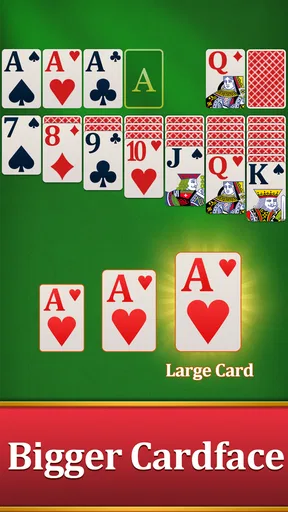
The large-card approach also changes how fast the game feels mentally. When the suits and values are easy to distinguish, I spend less time squinting at the screen and more time planning the next move. That is particularly useful for older players or anyone playing on a smaller phone. It is a simple design choice, but it affects the whole pace of a round.
There is a trade-off, though. Players who enjoy rapid card movement, elaborate transitions, or a strong sense of spectacle may find the experience restrained. This is not the kind of solitaire I would choose for visual excitement. Its strength is calm readability, not energy.
Why the large-card presentation matters
Large cards are not merely decorative in a game like this. They help with several small but important tasks: identifying a red or black suit, checking the value of a partially covered card, and tapping the intended card without accidentally touching a neighboring stack. Those benefits become more noticeable during longer sessions, when eye strain and repeated mis-taps can make a simple game surprisingly tiring.
Worth Reading Before You Choose

EA SPORTS FC Mobile 26 Is a Bigger Football Game, but It Takes Time

Flipboard Shows What News Apps Must Do Beyond the Feed

Switching to Android Auto Means Rethinking Your Driving Routine

Google Calendar Makes a Crowded Week Easier to Manage

Ludo King Makes the Most of the Minutes Between Plans

Baby Panda World Brings Quick Play to Modern Phones, but Its Game Library Feels Busy
I also see a practical benefit for people who share a device with a parent or grandparent. Someone who is comfortable with traditional solitaire but less comfortable with dense smartphone interfaces can understand the board more quickly. The Everyone age rating supports that broad audience, although familiarity with touch controls still varies from person to person.
For my own use, the clearest advantage is that the game does not ask me to learn a new card system. I can concentrate on the puzzle itself. That makes it a better fit for winding down than many competitive card games, where timers, opponents, rankings, or complicated objectives can turn a relaxing break into another source of pressure.
What happens when I play for longer periods
A short round is where the app feels most natural. During heavier use, the main demand is not the game’s rules but the repeated attention required to inspect the tableau and decide whether to expose a hidden card, move a sequence, or preserve an option for later. Solitaire can look easy while still becoming mentally absorbing, especially when I am trying to rescue a difficult position instead of starting over.
That makes it useful in two different ways. I can play casually, making obvious moves whenever I have a spare minute, or I can treat a deal as a small concentration exercise. The second approach is more rewarding if I want to train patience and planning rather than simply fill time.
One practical workflow is to use a short session as a reset between tasks. I would play one round, stop when it ends, and return to whatever I was doing. That boundary is healthier than opening a competitive game where the next match begins automatically. Solitaire naturally supports stopping points because each deal has a clear beginning and end.
On the other hand, people who want a deep progression system may run out of reasons to continue. The core appeal is the card puzzle itself. If I need missions, character development, online competition, or a large collection of modes, this is probably too narrow. The simplicity that helps it feel calm can also make extended sessions feel repetitive.
Stability and recovering from interruptions
A solitaire game earns trust through consistency. I do not need complicated online systems; I need the board to remain understandable and the session to feel dependable when I briefly leave the app. Android users often switch between messages, calls, navigation, and games, so recovery from an interruption is part of the everyday experience even when it is not the headline feature.
My advice is to treat the app as a self-contained casual game and avoid assuming that every interrupted moment will feel identical on every phone. Android devices manage background apps differently depending on available memory and system settings. If the phone is older or already crowded with active apps, closing and reopening the game may be more likely than on a newer device. That is a general device constraint rather than a reason to dismiss this particular title.
The current version is 1.3.2, which suggests the game has received ongoing refinement beyond its initial release. It was released on September 22, 2023, so it is not an ancient app designed for a completely different generation of Android hardware. Still, I would keep expectations realistic: a version number alone does not promise identical behavior across every screen size, manufacturer interface, or memory configuration.
For a reliable routine, I would finish a deal before switching to another demanding app, especially on an older phone. If I am interrupted halfway through, I would reopen the game and check the board carefully rather than tapping quickly from memory. That small habit avoids mistakes if the screen needs a moment to redraw or if the device has reclaimed background memory.
Older phones, storage, and battery expectations
The minimum requirement of Android 6.0 is one of the most useful facts for people deciding whether to try it. It means the app is positioned to work with a wide range of Android devices, including models that are no longer current. That does not guarantee identical responsiveness, because processor speed, memory, display quality, and the phone’s overall condition still matter.
For this type of game, I would expect the main pressure on a device to come from the Android environment around it rather than from the card rules themselves. A phone with limited free memory may feel less responsive when many apps are open. A device with a worn battery may also show more noticeable drain during any extended screen-on session, even if the game itself is modest.
That is why I would recommend closing unusually demanding apps before a long solitaire session on an older handset. It is also worth increasing the phone’s text or display accessibility settings if reading small interface elements is difficult, although the game’s large-card design already addresses the most important part of the board.
Storage is another sensible consideration. The game is free to install, but “free” does not mean a phone has unlimited room for apps and updates. Anyone using a device with very little remaining storage should check space before installing and keep enough room for Android to function comfortably. That is especially relevant on older phones, where storage limits are often felt sooner.
I would not choose this title specifically as a battery-saving tool, because the screen remains the central part of any card game. Instead, I would see it as a light, focused activity that avoids the more demanding visual and online elements found in many modern games. Lower complexity can help the experience feel less burdensome, but actual battery life will still depend on the phone, brightness, battery health, and session length.
Who will enjoy it most
This game is a strong match for someone who already understands traditional solitaire and wants an uncluttered version for Android. It is also suitable for a family member who values legibility more than novelty. The Everyone rating makes it easy to recommend as a broadly approachable card game, provided the player is comfortable tapping and dragging cards on a touchscreen.
I would also recommend it to people who want a game with a clear stopping point. A round can fit into a short break, yet the underlying decisions are enough to occupy a longer quiet period. That flexibility is more useful than it sounds: I can play without committing to a multiplayer match or worrying about letting another player down.
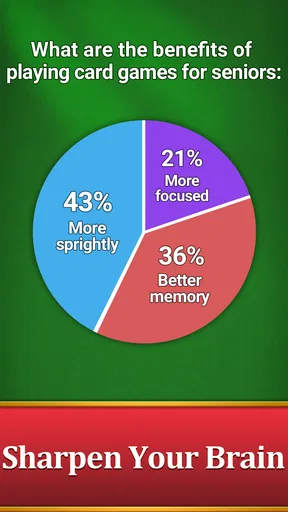
One less obvious use is as a gentle attention exercise. I can deliberately slow down, inspect every available move, and avoid automatic tapping. That turns the familiar layout into a small planning routine. It is not a substitute for formal training or a promise of measurable cognitive improvement, but it can encourage patience and visual focus in a way that feels more pleasant than a rigid test.
It is less suitable for someone seeking social interaction. There is no reason to choose a simple solitaire app over a multiplayer card platform if the main goal is conversation, competition, or playing with friends. Likewise, players who want a wide selection of card variants should compare it with a broader solitaire collection before settling in.
How it compares with other solitaire choices
Compared with a physical deck, the app removes setup, shuffling, and the need for a table. That is convenient when I am away from home, and the large cards are easier to keep organized than a cramped arrangement on a small surface. The physical alternative still wins for people who enjoy tactile handling or want to avoid screen time completely.
Compared with a general-purpose card collection, this game’s appeal is focus. A collection may offer more variants and more ways to customize a session, but it can also introduce menus and choices that slow down the start of a round. This title is preferable when I already know what I want to play and do not need a catalog of modes.
Compared with competitive card games, the mood is much calmer. There is no need to react to another person’s move or maintain a winning streak simply to stay engaged. That makes it a better choice for relaxation, while competitive games remain better for players who need challenge from opponents and changing tactics.
The compromise is replay variety. Traditional solitaire can remain engaging because every deal develops differently, but the basic activity does not transform dramatically from session to session. If repetition bothers me, I would use this app in short bursts rather than expecting it to become my only mobile game.
Small habits that improve the experience
I get more from the game when I resist moving the first available card automatically. Before tapping, I scan the tableau for moves that reveal a hidden card or preserve flexibility. This is a useful distinction between simply clearing cards and making decisions that keep the deal alive.
Another helpful habit is to play with a clear purpose. For a quick break, I focus on one deal and stop afterward. For a calmer evening session, I take more time to inspect the layout and treat mistakes as part of the puzzle rather than immediately blaming the app. The large-card presentation supports this slower style because the board is easier to read at a glance.
I would also keep the phone in a comfortable position and adjust brightness before playing for a long period. The game is relaxing only if the physical setup is comfortable. A bright screen in a dark room or a cramped grip can undermine the very ease that makes this kind of solitaire attractive.
Finally, I would avoid judging the app by the number of rounds I can play in one sitting. Its best quality is not endless content; it is the ability to provide a clean, familiar activity whenever I want a few quiet minutes. That is a more modest promise, but it is one the format can meet well.
My final view of the experience
Card Games, Inc has made a sensible choice by keeping the focus on readable solitaire rather than surrounding the game with unnecessary complexity. The result is approachable, free, and easy to place in a daily routine. Its average rating of 4.6 from around 3.9 thousand ratings indicates that many players have responded positively, while the total of 891 reviews gives the app a substantial amount of user feedback behind that impression.
The game is not the right pick for everyone. I would skip it if I wanted multiplayer competition, a broad set of card variants, dramatic presentation, or a strong long-term progression system. I would also look elsewhere if I prefer physical cards or find touchscreen dragging uncomfortable.
For everyone else, especially players who value large, readable cards and a peaceful pace, this is an easy recommendation. The Android 6.0 minimum makes it a realistic option for older devices, and the current 1.3.2 version places it in a reasonably modern part of the app’s life. My verdict is simple: choose this solitaire game for accessibility, calm pacing, and quick offline-style card sessions, not for spectacle or social competition.
Pros
- Large cards make suits and numbers easy to read.
- Multiple solitaire variations offer plenty of replay value.
- Simple controls are suitable for casual players.
- Games load quickly and work well for short sessions.
- Helpful hints can assist when you get stuck.
Cons
- Some features may be locked behind advertisements or purchases.
- Frequent ads can interrupt the flow between games.
- Limited customization may disappoint advanced players.
- Hints can make the game feel less challenging.
- Performance may vary on older phones or tablets.
FAQs for Solitaire: Big Card Games
What is Solitaire: Big Card Games?
Solitaire: Big Card Games is a mobile card game focused on classic solitaire gameplay with large, easy-to-read cards. It is designed for quick, relaxing sessions and is generally suitable for players who enjoy traditional Klondike-style solitaire. The oversized card presentation can be especially helpful on smaller screens or for users who prefer clearer visual elements while playing.
Can I play Solitaire: Big Card Games without an internet connection?
The game is primarily intended for casual, single-player entertainment, so many of its core solitaire features may be available offline after installation. However, an internet connection can still be required for advertisements, updates, analytics, cloud-related features, or optional purchases. Availability may also vary by device and app version, so it is worth testing offline before relying on it during travel.
Is Solitaire: Big Card Games free to download and play?
Solitaire: Big Card Games can generally be downloaded without an upfront payment, but free access may be supported by advertising or include optional in-app purchases. Ads can appear between rounds or during menu navigation, while paid options may offer an ad-free experience or additional benefits. Check the store listing and purchase settings before downloading, especially on shared family devices.
What features does Solitaire: Big Card Games offer?
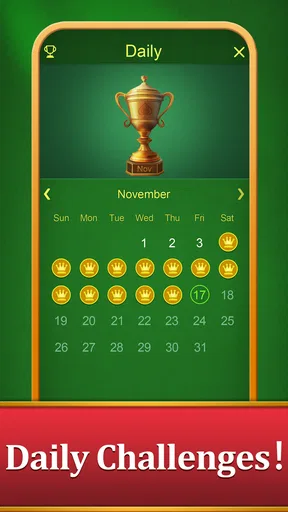
The main appeal of Solitaire: Big Card Games is its straightforward solitaire experience with large cards that make suits, ranks, and available moves easier to identify. Depending on the version installed, players may also find features such as hints, undo controls, daily challenges, scoring, statistics, customizable card designs, or different difficulty settings. Some features may be limited or connected to advertising.
Is Solitaire: Big Card Games suitable for beginners and older players?
Yes, the game is generally approachable for beginners because solitaire rules are familiar and the large-card design reduces visual strain. Players can learn at their own pace without needing fast reflexes or multiplayer experience. Older users may appreciate the readable interface, although the comfort of the experience can depend on screen size, text scaling, advertisements, and whether the device runs the latest compatible version.


